Player Warps
Set named teleport points for other players to visit, browse everyone else's public warps, and like the ones you enjoy. Player warps belong to players, while server warps are set by staff.
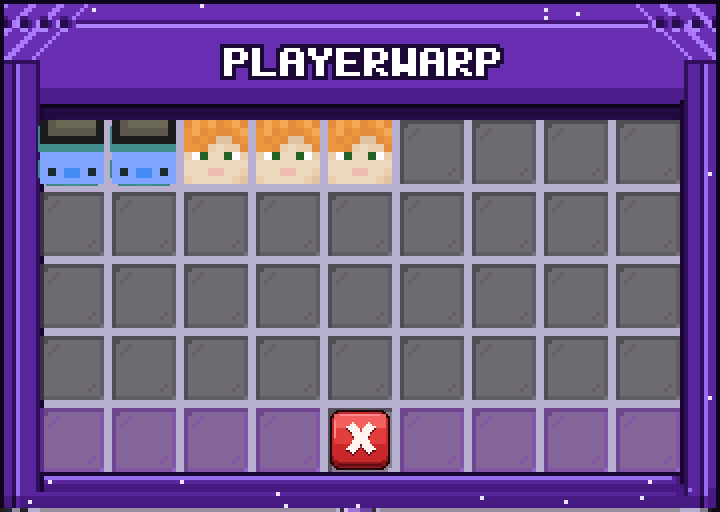
How It Works
/pwarp set <name> saves your current location as a warp. Names can be up to 24 characters of letters, numbers, _ and -, and must be unique on the server. You can own 3 warps by default, and some ranks allow more.
You teleport to a warp with /pwarp <name> or by clicking it in the menu, with a 3-second cooldown between uses by default. Each visit raises the warp's visit count and broadcasts a message naming the visitor, the warp, and its owner. Regular players can't visit a frozen warp.
/pwarp like <name>, or right-clicking a warp in the menu, toggles your like. You can't like your own warp. Likes and visits appear in /pwarp info <name> and in the menu.
/pwarp on its own opens the public menu. It lists every warp that isn't frozen, featured warps first and the rest by visit count. Left-click to teleport, right-click to like. Staff can also transfer, feature, freeze, or delete a warp, or reset its visit count, from here.
Freezing a warp hides it from the menu and blocks teleports without deleting it. Featuring a warp pins it to the top of the list.
Everyone can use player warps by default, though some servers may restrict them by rank.
Commands
/pwarp(/pw) - open the player warps menu/pwarp <name>- teleport to a player warp by name/pwarp set <name>- create a warp at your current location/pwarp delete <name>(orremove) - delete your own warp/pwarp like <name>- like or unlike a warp/pwarp info <name>- show a warp's owner, visits, likes, featured and frozen status